4 steps
Fixed rapid workflow
Flux2.Cloud sends a fixed four-step request for TwinFlow Z-Image-Turbo. Keeping the step count stable makes the public workflow easier to understand and protects the published cost baseline.
A second free model on Flux2.Cloud
Turn a text prompt into an image with TwinFlow Z-Image-Turbo hosted through Runware. Try 2 shared guest images daily, then sign in for text generation at 1 credit per image.
18+ only, including guest use. By using the service, you agree to our Terms of Service. See our Privacy Policy for personal information handling.
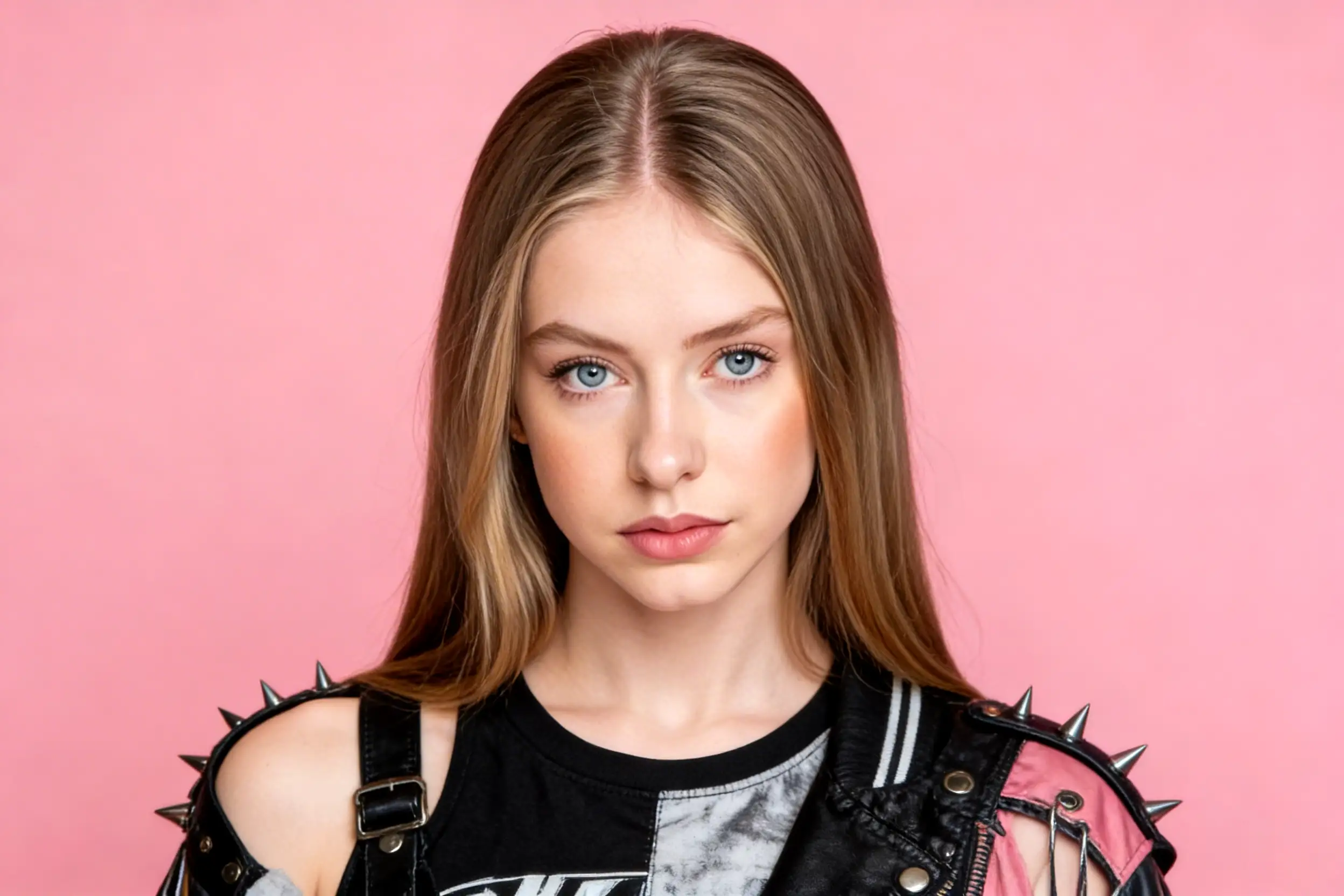
This page uses Runware AIR runware:twinflow-z-image-turbo@0. It is a text-to-image model with a fixed 4-step workflow on Flux2.Cloud; it is not the separate Alibaba Z-Image Turbo AIR and does not accept reference images.
Flux2.Cloud sends a fixed four-step request for TwinFlow Z-Image-Turbo. Keeping the step count stable makes the public workflow easier to understand and protects the published cost baseline.
Choose seven common aspect ratios while the longest public output side stays at or below 1024 pixels. That covers square, landscape, portrait, social, and banner drafts.
Guests share 2 text images daily with Klein 4B. After sign in, generation costs 1 credit per image. Subscriptions provide monthly credits for generation and editing.
Sign in to generate TwinFlow Z-Image-Turbo images for one credit each. Signup credits can be used to try the workflow, with the cost shown before generation.
Model identity first
TwinFlow Z-Image-Turbo is a fast text-to-image model available from Runware under the exact identifier runware:twinflow-z-image-turbo@0. On Flux2.Cloud, it is configured as a four-step generation workflow with a 1024-pixel public longest-side limit. You describe a subject, setting, composition, lighting, materials, and style; the model turns that written direction into a new image. No local installation, model download, or graphics card setup is required.
The name needs a careful explanation because several products use similar Z-Image Turbo wording. Search results often describe Alibaba Tongyi-MAI's separate model family, including an eight-step distilled model, bilingual capabilities, local weights, and image-to-image variants. Those claims do not automatically apply here. Flux2.Cloud deliberately identifies the hosted TwinFlow AIR, sends its documented four-step request, and exposes only text-to-image generation. This keeps the page aligned with the model users actually select.
TwinFlow Z-Image-Turbo joins FLUX.2 Klein 4B as the second free model in the same generator. Klein remains the default because it also supports reference-image workflows. Choose TwinFlow when you want another quick text-to-image interpretation of a prompt. Choose Klein when you want the familiar default or need to upload a reference. Both models share the same 2-image daily guest allowance. Signed-in text images use 1 credit, with monthly credits available through subscriptions.

A focused free option
A transparent model page built around the workflow that is actually available on Flux2.Cloud.
Try TwinFlow Z-Image-Turbo in the guest trial before you register or enter a credit card. Anonymous use includes the current guest allowance, browser-based history retention, human verification, a shared queue, and watermarked results. Those limits protect a genuinely shared resource while still letting a new visitor test a complete prompt-to-download workflow.
A prompt can produce a different composition, texture, or visual emphasis in every model. Switch between TwinFlow Z-Image-Turbo and FLUX.2 Klein 4B without leaving the generator. This is useful for creative exploration: keep the wording and ratio stable, compare the two interpretations, then refine the prompt around the direction that better matches your idea.
The model name alone does not tell you which provider variant, step count, output cap, queue, watermark, or credit policy a website uses. This page states those rules directly. TwinFlow Z-Image-Turbo is text-to-image only, fixed at four steps, capped at a 1024-pixel longest side, available in a 2-image daily guest trial, and one credit per signed-in text image.
Choose with context
Both models share a 2-image daily guest trial and cost 1 credit per basic text image after sign in. Start from the workflow you need, then compare their visual response to your prompt.
Practical starting points
Use TwinFlow Z-Image-Turbo for fast concept generation, then review every important detail before publishing.

Draft a clear visual direction for an article, announcement, video thumbnail, or social post. Include the subject, mood, camera distance, dominant colors, and intended placement in the prompt. Choose a landscape ratio for a cover or a portrait ratio for mobile content. Leave clean negative space if you plan to add final typography in a design tool.

Explore settings, materials, lighting, color palettes, and seasonal directions before committing to a production design. Describe the product category rather than imitating protected packaging, and treat generated labels or tiny details as drafts that require review. Z-Image Turbo is useful for comparing ideas quickly, not for guaranteeing exact brand assets or factual product representation.

Turn a story beat or creative brief into editorial illustration, cinematic atmosphere, stylized 3D art, poster composition, or environment concept. Specify the medium, framing, focal subject, lighting, palette, and texture. Generate several deliberate prompt variations instead of adding every possible adjective to one request, then carry the strongest direction into your normal design workflow.
Prompt with structure
These templates are starting points. Replace the subject and visual details, then inspect the result rather than treating the prompt as a quality guarantee.
Editorial portrait of an independent ceramic artist in a bright workshop, waist-up composition, natural window light, clay dust and handmade tools, muted earth palette, realistic skin texture, 85mm photography, calm confident expression, uncluttered background.
Name the occupation, environment, crop, light, palette, and camera treatment. Avoid conflicting styles so the model has a clear hierarchy.
Try this directionPremium reusable water bottle on pale travertine, soft morning shadows, brushed metal texture, sage green and warm cream palette, minimal campaign art direction, three-quarter product angle, crisp studio photography, generous negative space on the left.
Describe materials and placement explicitly. Add final logos and legally required label text later in a controlled design application.
Try this directionA quiet solar observatory above a sea of clouds at blue hour, one scientist beside a glowing instrument, cinematic wide composition, deep indigo sky, subtle amber practical lights, detailed atmospheric illustration, realistic scale, restrained color contrast.
Establish one focal subject and one lighting story. Concrete spatial details usually guide composition better than a list of quality buzzwords.
Try this directionThree clear steps
Create a text-to-image draft in the browser without installing a model or configuring a local inference environment.
The generator on this page opens with TwinFlow Z-Image-Turbo selected when the model is enabled. You may still open the model menu and compare it with FLUX.2 Klein 4B or a premium model. Z-Image Turbo disappears from the image-to-image tab because this hosted variant does not accept reference images.
Describe the subject first, then add setting, composition, lighting, palette, medium, and practical output intent. Choose one of seven aspect ratios. Flux2.Cloud aligns the request to the model's supported dimensions and enforces a maximum public longest side of 1024 pixels. The four-step setting is fixed rather than user-adjustable.
Guests can try 2 shared text images daily. Sign in to generate at 1 credit per image; subscriptions provide monthly credits for generation and editing. Inspect faces, hands, small objects, text, logos, and factual details before downloading or publishing. Free and daily-access results follow the site watermark policy.
Know the boundary
Clear limits make it easier to choose the right model and avoid assumptions borrowed from a similarly named service.
TwinFlow Z-Image-Turbo does not support reference images in this integration. For a background change, portrait restyle, product edit, or other reference-guided task, switch to FLUX.2 Klein 4B or another model marked as image-to-image compatible.
Flux2.Cloud sends four steps for this model and rejects a different custom step count. The fixed workflow matches the published baseline used for provider-cost observation and prevents an innocent control change from silently increasing operating cost.
TwinFlow and Klein do not each create a separate guest allowance or extra generation slot. The anonymous browser identity and signed-in user identity share the current free entitlement across both models, which prevents model switching from bypassing capacity controls.
AI output can contain distorted anatomy, unreadable words, inconsistent objects, misleading symbols, or unexpected content. Do not assume a generated image is accurate, unique, non-infringing, or appropriate for a sensitive context. Review the result and follow the Acceptable Use Policy and applicable rights.
Questions before generating
Answers about the exact model, free access, credits, images, and workflow available on Flux2.Cloud.
You can try 2 text images daily without an account, shared with Klein 4B. Signup includes 4 credits, followed after the first 24 hours by 1 daily credit valid for 24 hours. Signed-in basic text images cost 1 credit. Subscriptions provide monthly credits for generation and editing.
This page selects the Runware model identified as runware:twinflow-z-image-turbo@0. It is not the separate Runware Alibaba AIR runware:z-image@turbo. Similar names do not make their capabilities interchangeable, so Flux2.Cloud documents TwinFlow as a four-step, text-to-image-only workflow rather than copying claims from Alibaba model pages.
No. Reference images are disabled for TwinFlow Z-Image-Turbo in this integration. Sign in and select Klein 4B for reference editing at 2 credits per image, or another model that supports references at its displayed cost.
Signed-in text generation costs 1 credit per image. Subscriptions provide monthly credits for generation and editing. The 2-image daily guest trial is shared with Klein 4B; switching models does not reset it or add a concurrent queue slot.
The generator exposes 1:1, 16:9, 9:16, 3:2, 2:3, 4:3, and 3:4 ratios. Flux2.Cloud keeps the longest public side at or below 1024 pixels for TwinFlow Z-Image-Turbo and aligns dimensions to the model requirement. This page does not promise 2K or 4K generation for the free workflow.
Guest, signup, and daily free access follow the Flux2.Cloud watermark policy in previews, history, sharing, and downloads. Active subscription access and eligible paid-credit generations use the site's watermark-free delivery policy. Check the generator and pricing page for the current plan details before producing final client assets.
Outputs generated through Flux2.Cloud may be used for personal and commercial projects subject to our Terms of Service, applicable law, model-specific restrictions and usage policies, provider or distribution-channel terms, and third-party rights. Do not directly use Outputs resembling well-known IP, trademarks, protected characters, or celebrities in advertising, merchandise, or endorsements before checking the relevant rights and obtaining necessary permissions. Outputs are not guaranteed to be unique, copyrightable, or free of infringement; you are responsible under applicable law for your use.
Continue exploring
Compare the free models, learn a reference-guided workflow, or review the complete model catalog and credit policy.
Return to the main generator with FLUX.2 Klein 4B as the default free model and compare the complete catalog.
Open pageUpload a reference and use a compatible model when your task needs visual continuity rather than text-only invention.
Open pageReview free access, image model credit costs, watermarks, retention, and paid plan benefits.
Open pageKeep your prompt simple, select the ratio you need, and see how TwinFlow Z-Image-Turbo interprets the idea in the shared guest trial.
Generate with Z-Image Turbo Flux 2 Cloud