Free Image to Image AI

Upload one or two reference images, tell the AI what to change and what to preserve, then create a fresh image online. Start in the free Slow Queue without signing up.

Model
Reference Images0/2
0/2000
Ratio
System operationalSubscribers skip human verification
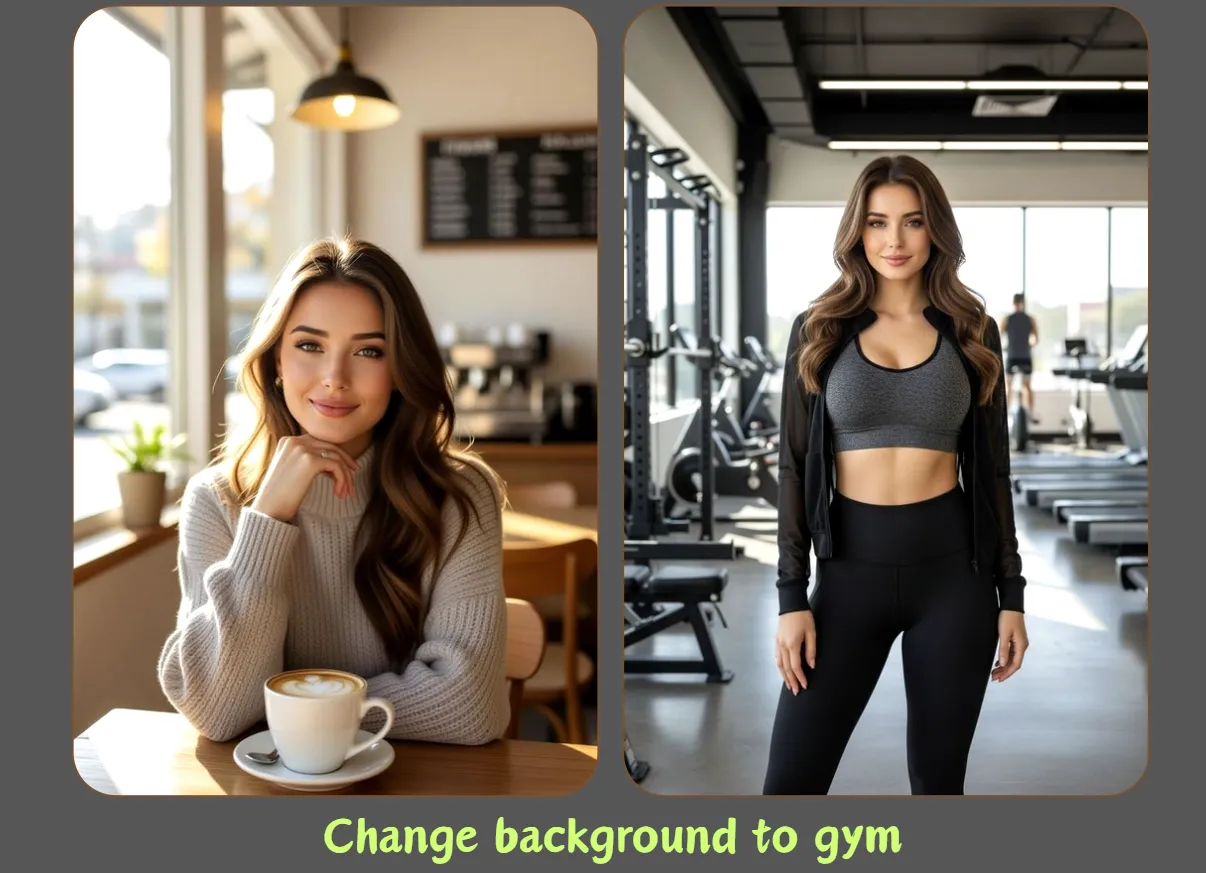
Background preview: Change background to gym
FLUX.2 Klein 4BFLUX.2 Klein 9B KVFLUX.2 DevFLUX.2 ProNano BananaNano Banana 2Nano Banana ProGPT Image 2

Image to Image AI - Free Online Image Generator

Transform an existing photo, product shot, portrait, sketch, or design with image to image AI. Flux2.Cloud combines your reference images with a natural-language prompt, so you can keep the important subject or composition while exploring a new background, visual style, lighting setup, color palette, or creative direction.

Try Image to Image AI

Reference-guided creation

What Is Image to Image AI?

Image to image AI is a reference-guided generation workflow. Instead of asking an image model to invent everything from text, you upload an existing image and describe the result you want. The reference gives the model visual context about the subject, pose, layout, colors, or overall structure; your prompt explains which details should change and which details should remain recognizable.

This makes image to image generation useful when a text prompt alone is too open-ended. You can move a product into a cleaner campaign setting, restyle a portrait, turn a rough sketch into a polished concept, or create several visual directions from the same source. Flux2.Cloud supports up to two reference images in one request, allowing a second image to contribute style, mood, or composition when the selected model supports multi-reference editing.
Transform a reference image
What Is Image to Image AI?

Built for controlled edits

Why Use This Image to Image AI Generator?

A focused workflow for controlled edits, fast visual exploration, and repeatable creative direction.

Start Free Without an Account

Use the free Slow Queue before creating an account or entering a credit card. Guest generation has a daily allowance and human verification to protect shared capacity. You can sign in when you want faster options, premium models, account history, or additional credits.

Guide the Result with Two References

Upload one image to establish the main subject, or add a second reference for another visual cue. A second image can help communicate a target style, background mood, material, or composition. The exact way references are interpreted depends on the selected image model and your prompt.

Control Change and Consistency

A good image to image AI prompt separates the edit from the constraints. State what should change, then name what should stay consistent—such as facial identity, product shape, camera angle, logo placement, pose, or color. This gives the model a clearer job than a vague request like “make it better.”

Before and after ideas

Popular Image to Image AI Use Cases

Use the same reference-guided workflow for practical edits and creative transformations.

Before and after example of an AI background replacement

Replace or Rebuild a Background

Keep the person, product, or foreground object while creating a different environment around it. Try a clean studio, seasonal campaign set, city street, natural landscape, or branded color field. In your prompt, describe the new setting and explicitly ask the model to preserve the original subject, proportions, and camera angle.

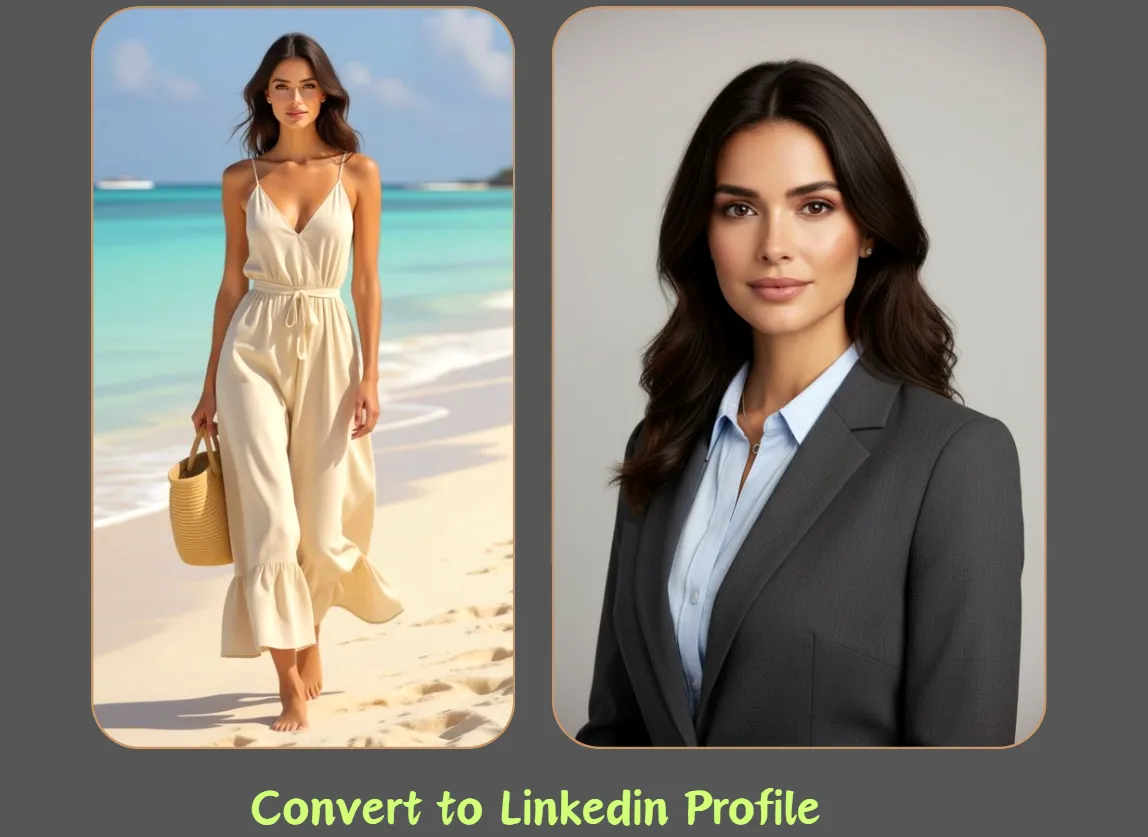
Reference image transformed into a professional social media visual

Create Marketing and Social Variations

Turn one source photo into campaign-ready variations for social posts, profile graphics, blog covers, and ad concepts. Image to image AI can explore a new crop, atmosphere, wardrobe color, or layout without losing the central idea. Choose the output ratio that matches the destination, then leave room for any text you plan to add later.

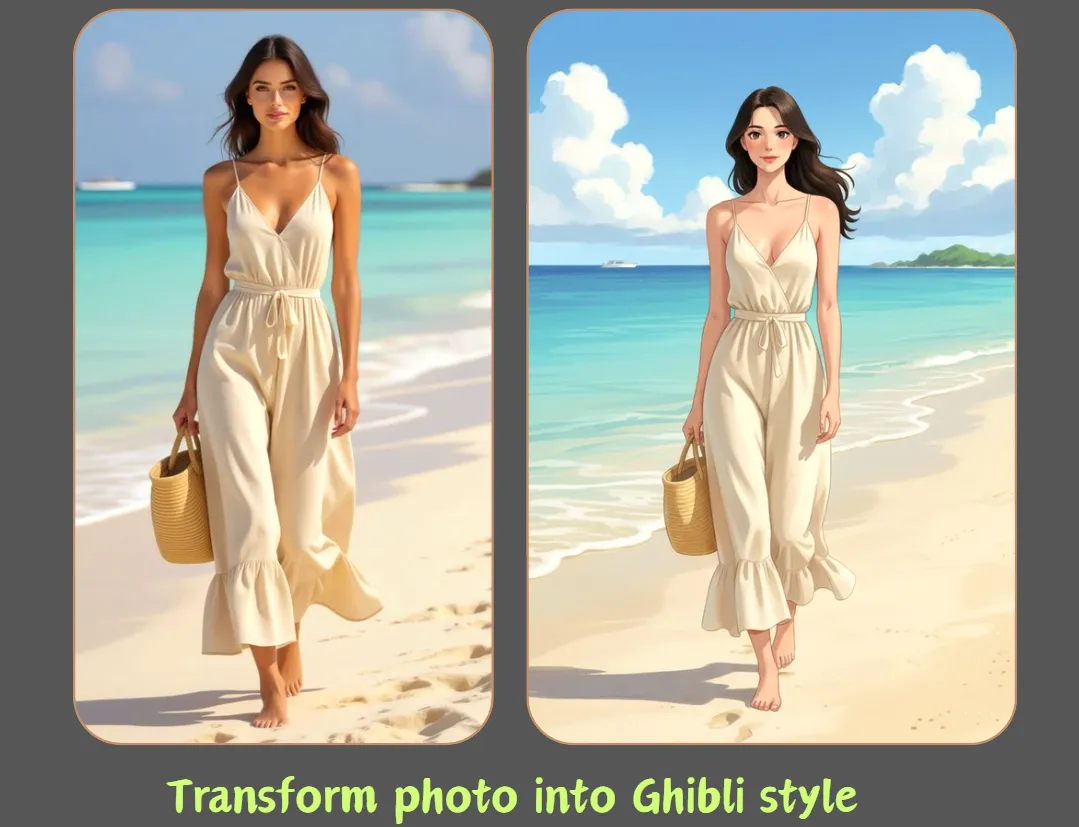
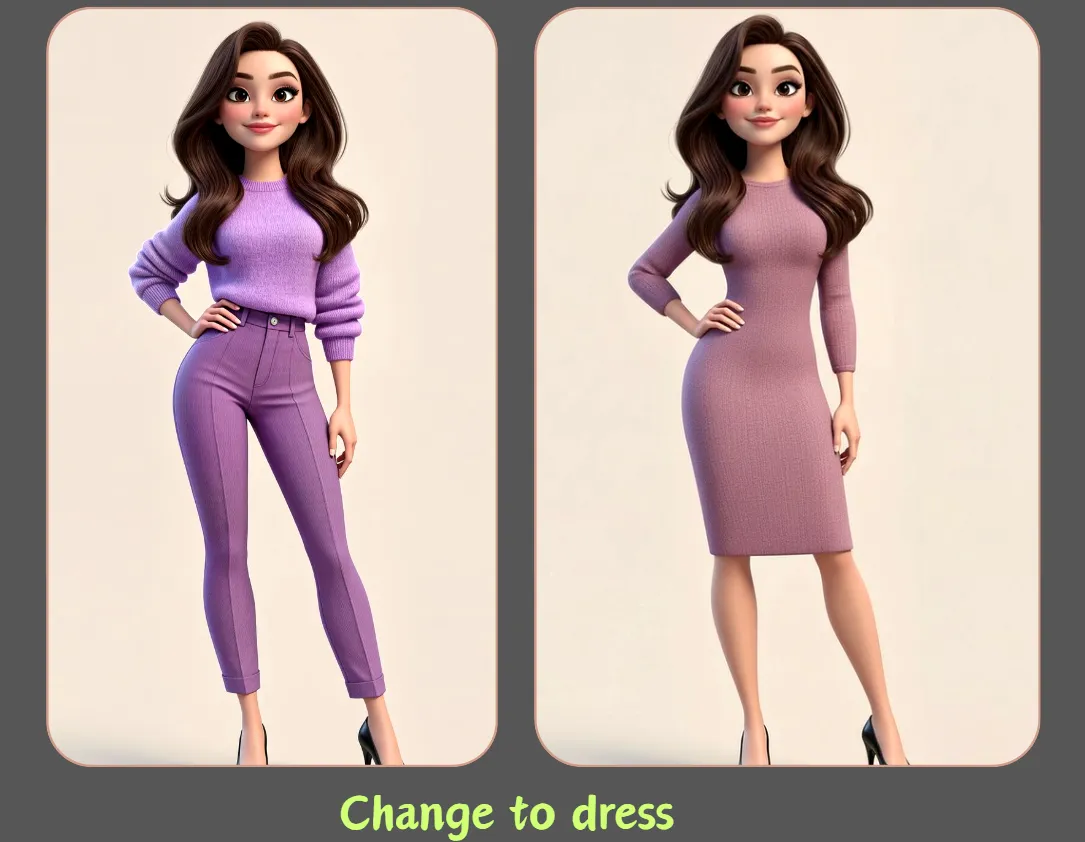
Photo restyled into a different visual direction with image to image AI

Restyle Photos, Sketches, and Concepts

Use a photo or drawing as the structural starting point, then ask for editorial photography, illustration, 3D rendering, anime, watercolor, cinematic realism, or another art direction. For stronger consistency, describe the desired medium, lighting, palette, texture, and level of detail while telling the model which shapes and relationships must stay intact.

Prompt with intent

How to Write a Better Image to Image Prompt

The most reliable prompts describe the transformation and the non-negotiable details separately.

Describe what should change

Name the new background, style, lighting, season, material, color palette, camera treatment, or mood. Use concrete visual language rather than subjective phrases. For example, “replace the room with a warm minimalist studio, soft window light, pale limestone and walnut” is more actionable than “make the background nicer.”

Describe what should stay

List the details that define continuity: the same person, facial features, product silhouette, label text, pose, framing, perspective, clothing shape, or key colors. No image model guarantees pixel-perfect preservation, so keep the most important constraints concise and regenerate with a tighter prompt if the first result drifts.

Example prompt

Replace the background with a modern daylight studio using soft neutral colors. Keep the same person, facial identity, hairstyle, pose, clothing, camera angle, and natural proportions. Editorial portrait photography, realistic skin texture, subtle shadows, no extra objects.

Three simple steps

How to Use Image to Image AI

Go from a reference image to a new variation in one browser workflow—no software installation required.

1. Upload Your Reference Images

Choose one source image, then optionally add a second reference. Common image files up to 10 MB are accepted by the uploader. Use a clear, well-lit source when identity or product details matter. You can preview or remove either reference before generating.

2. Describe the Transformation

Write what you want to change and what the image to image AI should preserve. Select a compatible model, output ratio, resolution where available, and generation mode. Auto ratio follows the first reference image within the model’s supported output limits.

3. Generate, Review, and Download

Start generation and review the result in the preview panel. If it is close but not right, adjust one or two instructions instead of rewriting everything. Guest results remain in local recent history for a limited time and include the Flux2.Cloud watermark.

Turn One Reference into a New Creative Direction

Upload an image, explain the edit in plain language, and test your first image to image AI variation in the free Slow Queue.

Start with a Reference Image

Creator workflows

How Creators Use Flux2.Cloud

The generator is great for quick concept exploration. I can test visual ideas fast without setting up a full workflow.

Alex Chen

Digital Artist

I use it to draft ad visuals and landing page concepts. No login for quick tests makes the workflow much faster.

Sarah Miller

Marketing Director

The interface is clean, and the generation flow is simple enough for daily mood boards and game concept experiments.

Jordan Lee

Game Developer

Questions and answers

Image to Image AI FAQ

What does image to image AI do?

Image to image AI uses one or more uploaded images as visual context for a new generation. Your prompt tells the model what to transform and what to preserve. It can be used for background changes, restyling, concept development, portrait variations, product scenes, and other reference-guided edits.

Is this image to image AI generator free?

Yes. Flux2.Cloud provides a free Slow Queue with a daily guest allowance, so you can try image to image generation without an account or credit card. Human verification protects the shared queue. Premium models, faster generation modes, and usage beyond free allowances may require sign-in and credits.

Can I upload more than one reference image?

You can upload up to two reference images in the current generator. Use the first for the main subject or structure and the second for another cue such as style, mood, setting, or composition. Multi-reference behavior varies by model, so explain the role of each reference in your prompt.

Will the AI keep the same face or product exactly?

A reference image improves continuity, but no generative model guarantees an exact copy. Ask the image to image AI to preserve the specific traits that matter, use a clear source, avoid conflicting instructions, and try a model known for reference fidelity. Review important logos, labels, faces, hands, and product details before publishing.

What should I write in an image to image prompt?

Describe the desired result in concrete visual terms, then add a short preservation list. Include the new setting or style, lighting, palette, mood, and output purpose. Follow with constraints such as “keep the same subject, pose, framing, product shape, and logo placement.” Clear priorities usually work better than a long list of unrelated adjectives.

What image files and aspect ratios can I use?

The uploader accepts common image files up to 10 MB and prepares them for the generation request. You can choose Auto to follow the first reference image or select a supported ratio such as square, landscape, or portrait. Actual dimensions and available resolutions depend on the selected image model.

How is image to image different from text to image?

Text to image starts from a written prompt and gives the model broad freedom to compose a scene. Image to image AI adds visual evidence from your reference, making it better for controlled variations and edits. Use text to image for open-ended invention and image to image when continuity with an existing visual matters.

Can I use generated images commercially?

Commercial use depends on the selected model, provider terms, your plan, and the rights attached to the reference material. Only upload images you are allowed to use, avoid infringing trademarks or copyrighted work, and review model-specific restrictions before using a result in advertising, merchandise, client work, or another commercial context.