Text-to-image workflow
A Practical FLUX.2 Prompt Guide
A useful prompt reads like a compact creative brief. This guide explains what to specify, what to leave flexible, and how to revise one variable at a time when the first image misses the mark.
Start with the job the image must do
Before describing style, decide where the image will be used. A wide website hero, a square product post, and a vertical event poster need different composition instructions. Naming the destination helps you choose an aspect ratio and tells the model where to leave breathing room.
Write the subject and action first. Then add the setting, camera or composition, light, materials, color direction, and mood. This order keeps the prompt readable and makes later revisions easier.
Review checklist
- Subject: the person, object, place, or idea that must remain central.
- Scene: the environment and the relationship between foreground and background.
- Composition: close-up, full body, overhead, centered, asymmetrical, or with copy space.
- Finish: photography, 3D, illustration, painting, sketch, or graphic poster.
- Output goal: landing page, product listing, profile image, story, or print concept.
Use concrete visual language
Words such as “beautiful” or “professional” are too open-ended on their own. Replace them with details a viewer could point to: soft window light, matte ceramic, shallow depth of field, muted olive and cream, bold geometric type, or a clean background with room on the left.
Avoid stacking unrelated styles. If the prompt asks for documentary photography, glossy 3D, watercolor texture, and a flat vector poster at the same time, the model has no clear priority. Pick one primary treatment and use the remaining words to support it.
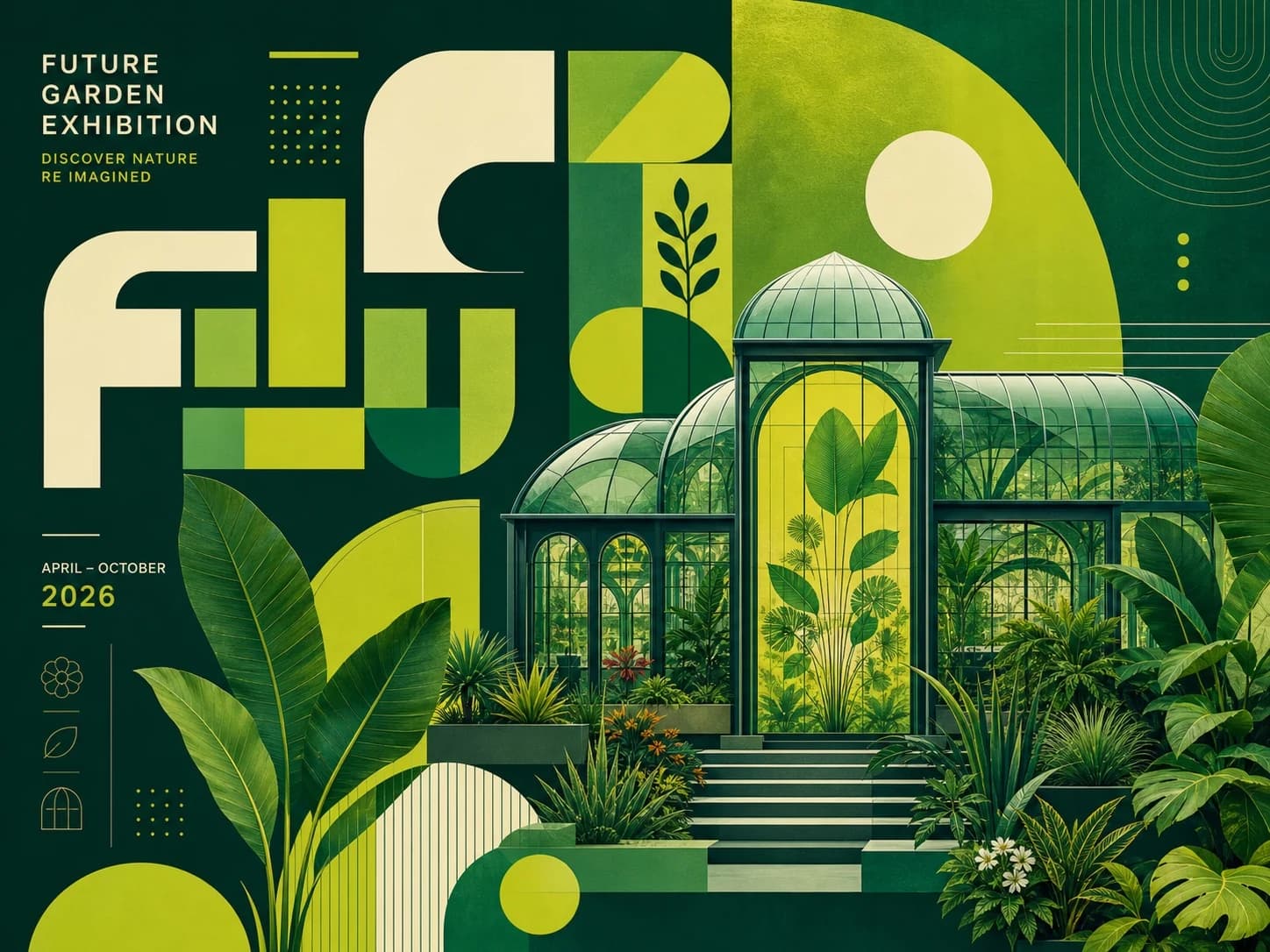
A modern botanical exhibition poster featuring a glass greenhouse surrounded by tropical plants, asymmetrical editorial composition, dark forest green and chartreuse palette, crisp geometric shapes, subtle paper texture, clear empty space for event details, premium cultural poster design, 4:3 landscape.
Revise one variable at a time
When a result is close, keep the successful parts of the prompt and change only the weakest variable. If the subject is right but the page feels crowded, revise the composition. If the layout works but the image feels artificial, revise the light and material language.
Save the prompt alongside the selected model, ratio, and result. That record makes good outcomes repeatable and helps you understand whether a change came from the prompt or from switching models.
Review checklist
- Check the main subject before judging small decorative details.
- Inspect faces, hands, labels, logos, and readable text at full size.
- Regenerate with a tighter instruction instead of adding a long list of negative adjectives.
- Treat generated text and brand marks as drafts that require manual verification.
Apply the method to a real generation
Save the source and prompt, then change one variable per attempt. Before publication, inspect identity, hands, text, logos, and rights-sensitive material at full size.
 Flux 2 Cloud